

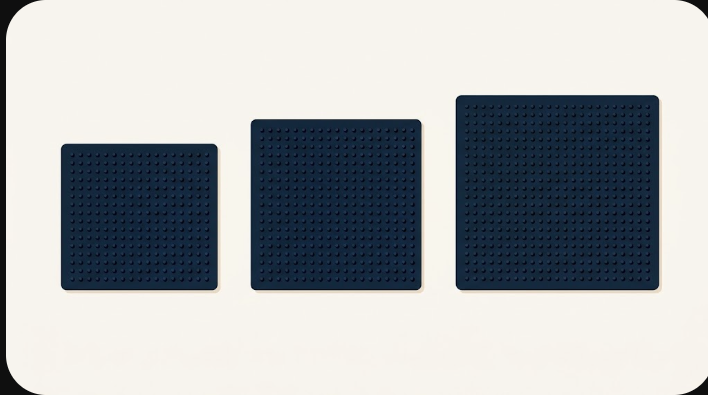
Start at 29 beads wide for a face or a single icon, 58 for a subject with a background, and 87 when small text or fine features have to stay readable. Go to 120 only for large scenes you will assemble in sections. In the pattern maker the width is the one size control you set directly; the height follows your crop. A 29×29 grid is exactly one demo board section — a handy unit to think in.
The quick answer by subject
| Subject | Start at | Why |
|---|---|---|
| A logo, emoji or simple icon | 29 | Bold shapes survive a small grid |
| A pet or portrait, head-and-shoulders | 29–58 | Enough rows for eyes and outline |
| A scene with a background | 58 | Subject and background both need room |
| A short word or fine features | 87 | Thin strokes need multiple beads |
| A detailed, multi-part picture | 120 | Assemble it in board sections |
Why width is the only size slider
You choose columns; the tool derives rows from the shape of your crop. Crop a wide banner and you get a short, wide grid. Crop a square and you get a square. This is why the size decision and the crop decision are really the same decision made twice — the crop sets the aspect ratio, the width scales it. If you want a specific finished shape, fix the crop first, then move only the width.
Board sections: counting in 29×29 blocks
BeadDraft reports how many board sections a grid needs, and it counts them in fixed 29×29 blocks. The math is simple ceilings: sections = ⌈width ÷ 29⌉ × ⌈height ÷ 29⌉. A grid that spills a single bead past a boundary still needs a whole extra section, which is why round numbers are kinder to your planning:
| Grid (w × h) | Board sections | Total cells |
|---|---|---|
| 29 × 29 | 1 | 841 |
| 30 × 30 | 4 | 900 |
| 58 × 58 | 4 | 3,364 |
| 87 × 58 | 6 | 5,046 |
| 120 × 120 | 25 | 14,400 |
Look at the 30×30 row: one bead over the line in each direction turns one section into four. If you are sitting just past a boundary, pulling the width back to 29 — or pushing up to a clean 58 — can save you a surprising amount of board space and planning.
Beads grow with the square, not the width
Doubling the width does not double the work — it roughly quadruples it, because the grid grows in two directions at once. Going from 29 to 58 wide takes a ~841-cell grid to a ~3,364-cell one; going to 120 takes it past 14,000. Not every cell is a bead (empty background cells are skipped), and the pattern maker shows the real bead count for the confirmed grid, but the square relationship is the thing to feel in your gut before you commit.
What that means for time and cost
The tool does not promise a build time — that depends on you, your beads and your method, and pretending otherwise would be dishonest. But the bead count is a reliable proxy: whatever a 29-wide piece costs you in beads and hours, a 58-wide version of the same crop costs roughly four times as much. Read the bead total before you start, and if it is more than you want to place, the cheapest fix is almost always to drop the width — not to drop a color. Fewer cells beats fewer colors, every time.
Finished size in centimeters
Bead width, not grid width, sets the physical size, and that depends on which beads you own. Bead sizes vary by product line and change over time, so treat these as ballpark figures and check the pack in front of you:
| Bead size (typical) | 29 wide | 58 wide | 87 wide |
|---|---|---|---|
| ~5 mm (common midi) | ~14–15 cm | ~29 cm | ~43 cm |
| ~2.6 mm (mini) | ~7–8 cm | ~15 cm | ~23 cm |
Brand differences are the subject of Perler, Hama and Artkal compared. The key idea: the bead count is fixed by your grid, and only this last conversion depends on your brand.
A decision you can run in your head
Pick the smallest width that still keeps the one feature you care about — the eyes, the letters, the logo edge. Generate. Read the bead total and the section count. If the piece is too big for your patience or your table, drop the width and generate again before you start reducing colors or shopping. When the size feels right, move on to bringing the color count down, then printing a chart.