

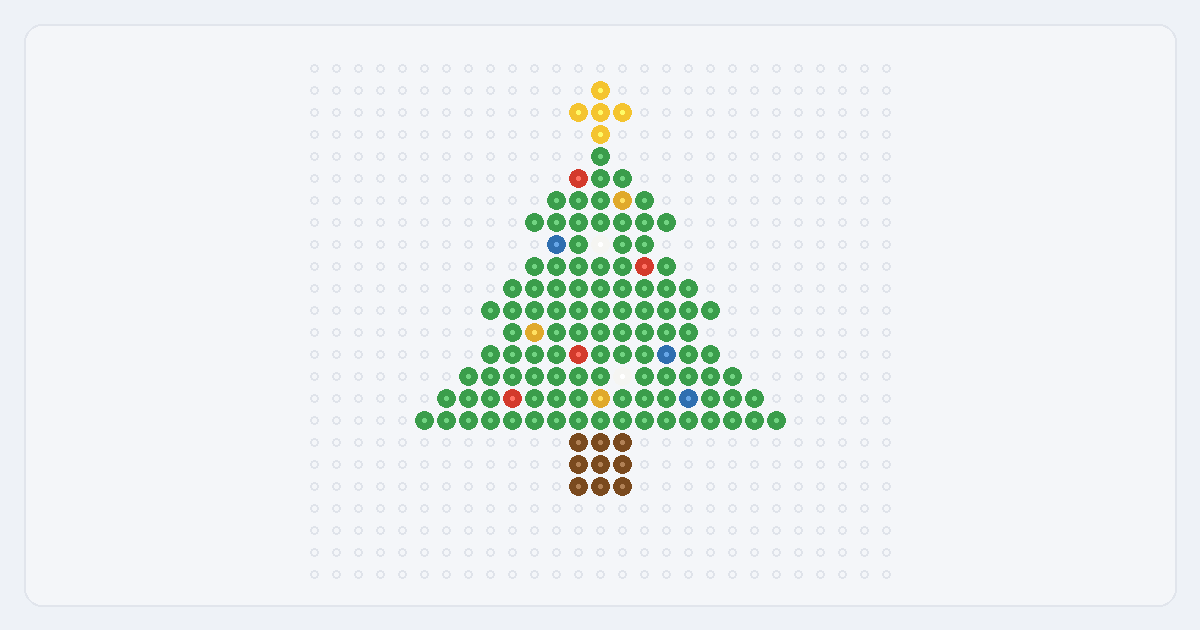
Christmas is a natural fit for bead work because the icons are so simple and bold: a tree, a snowflake, a candy cane, a stocking. Rather than hunting for a copyrighted chart to copy, you can make your own in the pattern maker: give it a photo or a short word, keep the palette to a few festive colors, and it snaps every cell to a real Perler shade, counts the beads, and prints a chart you build from. Free, in your browser — and the design is yours to share or hang on the tree.
What makes a good Christmas bead pattern
The motifs that hold up best in fused beads share a few traits:
- A bold silhouette. A tree or a candy cane is recognizable from its outline alone, so it still reads clearly at a small grid size where fine detail would be lost.
- High contrast. Green on white, or red and white, keeps a Christmas shape crisp — the season’s palette is naturally high-contrast, which suits the chunky bead grid.
- Few colors. Most Christmas icons need only two or three colors, which keeps your bead count low and the chart quick to build.
- A small accent. A gold star turns a green triangle into a Christmas tree; a few red and white dots turn it into an ornamented one.
Christmas motifs to try
Classic, non-branded subjects that turn out well at a small size with a few colors:
- Christmas tree — a green triangle in stacked tiers with a gold star and a few round ornaments, on a short brown trunk.
- Snowflake — a white or pale-blue six-point shape on a dark grid, symmetrical and crisp.
- Candy cane — a hooked bar in alternating red and white stripes.
- Stocking — a red boot shape with a white cuff, easy to personalize.
- Gingerbread person — a brown figure with white icing dots and a smile.
- Wreath, ornament or a festive word — a green ring with a red bow, a single round bauble, or a short word like NOEL or JOY from the Text tab.
For a design that is truly yours, start from your own photo or one of these generic shapes rather than a copyrighted character — it keeps the result original and free to share.
Colors and settings for a Christmas look
Lean on the season’s palette: green, red and white cover most icons, with gold, brown and pale blue as accents. Keep the width small — the 29-bead preset, or the slider toward 16 — so shapes stay bold, and cap the colors low; the maker merges close shades to a real Perler color so a striped candy cane stays clean instead of speckled. If a shape looks muddy, drop the width or the color cap and sharpen the outline with the paint tool.
Make your own Christmas pattern
- Pick a motif. A tree or snowflake photo cropped close, a simple shape you draw, or a short word like NOEL in the Text tab.
- Start small and high-contrast. Choose a width around 16–29 beads and cap the palette at a few Christmas colors.
- Create and refine. The maker matches each cell to a real Perler shade; add a gold star or red ornaments with the paint tool to finish the design.
- Print the chart. Export the PDF reading chart and CSV color counts, and build from it next to your pegboard.
New to this? The easy patterns for beginners guide keeps the numbers small, and turning a photo into a bead pattern walks through a full example.