

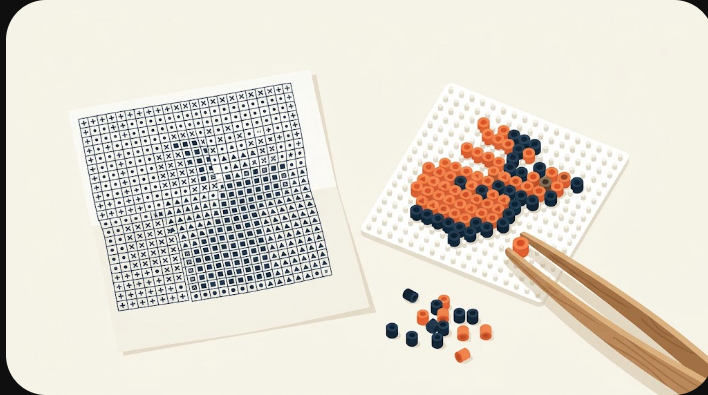
“Free printable” usually means hunting for a chart someone else drew — often a copyrighted character you are not really free to share. There is a cleaner way: make your own design in the pattern maker from a photo or a short word, then export a free printable chart — a PDF you print and read cell by cell while you place beads. It is free, nothing is uploaded, and the pattern is yours.
What a printable bead pattern actually is
A printable Perler pattern is a reading chart: a grid where every cell shows one color, plus a legend that lists each Perler shade and how many beads of it you need. You do not print it at bead size — you read the chart square by square and place the matching bead on your own pegboard. BeadDraft’s PDF prints the grid with a color key and per-color counts, labelled as a reading chart rather than a 1:1 template, so it stays legible on a single sheet even for larger designs.
Make one and print it, free
- Start from your own image or a word. Upload a clear photo, or type a short word in the Text tab — no copyrighted character needed.
- Set the size and colors. Pick a grid width and cap the palette; the tool snaps every cell to a real Perler shade and counts them.
- Export the chart. Download the PDF reading chart (with the color legend and counts) plus the PNG and CSV if you want them. Every export is free.
- Print and build. Print the PDF on A4 or US Letter and work through it next to your pegboard.
Reading the printed chart
Work in rows, left to right, top to bottom, matching each square’s color to a bead. The legend tells you the exact shade and the total count per color, so you can lay out beads before you start or check you have enough. Because the chart is a reading grid and not printed at bead size, it does not matter what printer or paper size you use — the layout of cells is what you follow, not their printed dimensions.
Printing tips
- Fit to page. Choose “fit” or 100% in your print dialog; the chart is built to sit on one A4 or Letter sheet.
- Color vs. mono. Color printing makes shades easy to tell apart; if you print in grayscale, lean on the legend and keep the palette small so similar colors do not blur together.
- Keep the counts. The per-color totals from the CSV or the chart legend help you gather beads before building — handy for larger designs.
- Re-export after edits. If you tweak the design, export again so the printed chart matches the version you build from.
New to bead patterns? The easy patterns for beginners guide keeps things small, and turning a photo into a bead pattern walks through a full example.