

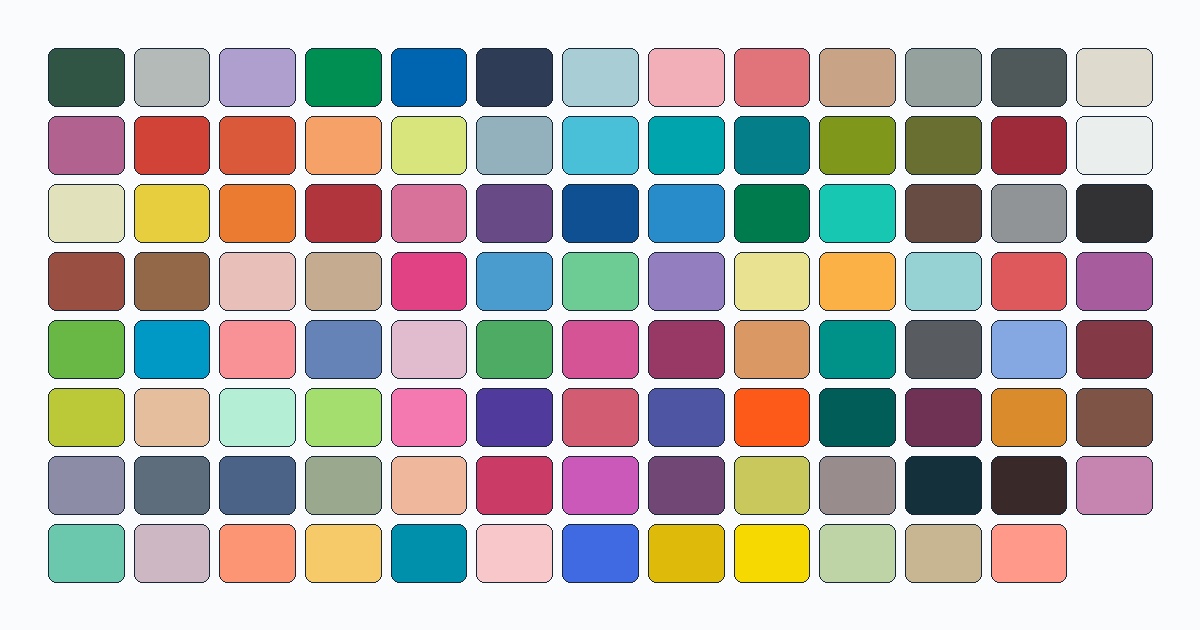
This is the full 103-shade Perler color chart that the pattern maker matches your photo to — every color with its name, product code and hex value, in one searchable place. Type a name, a code or a hex value to filter the list. The names and codes are compatibility references, not official Perler data; see color data and attribution for the source and license.
The color chart
Search by color name (Cheddar), product code (80-19057) or hex value (#FBB146). All 103 colors are listed below by default.
Showing 103 of 103 colors
How to read each color
Every entry shows three things: the name makers use to talk about the shade, the product code (the 80-xxxxx style number printed on bead bags), and the hex value — the exact RGB color used on screen. The hex is what the maker compares against when it matches a photo, so two shades that look similar on the chart are genuinely close in color space, not just similarly named.
Where these colors come from
The palette is built from an open, community-maintained data set of bead colors (maxcleme/beadcolors, MIT-licensed), pinned to a fixed revision so the shades and codes stay stable. That means the chart is a matched-to reference: a careful, sourced approximation of the real bead colors, not an official swatch book. Screens and dye lots vary, so treat a hex value as a close guide rather than a guaranteed match to a physical bead. The full source, revision and license are on the color data and attribution page. BeadDraft is not affiliated with or endorsed by Perler.
Using the palette in a pattern
You do not have to pick colors by hand. In the pattern maker, upload a photo and set how many colors you want (1–12); the maker samples your image and matches every cell to the nearest shade in this same 103-color palette, in a perceptual color space so the result looks right to the eye. It then gives you an exact count of each color so you know how many beads to buy.