

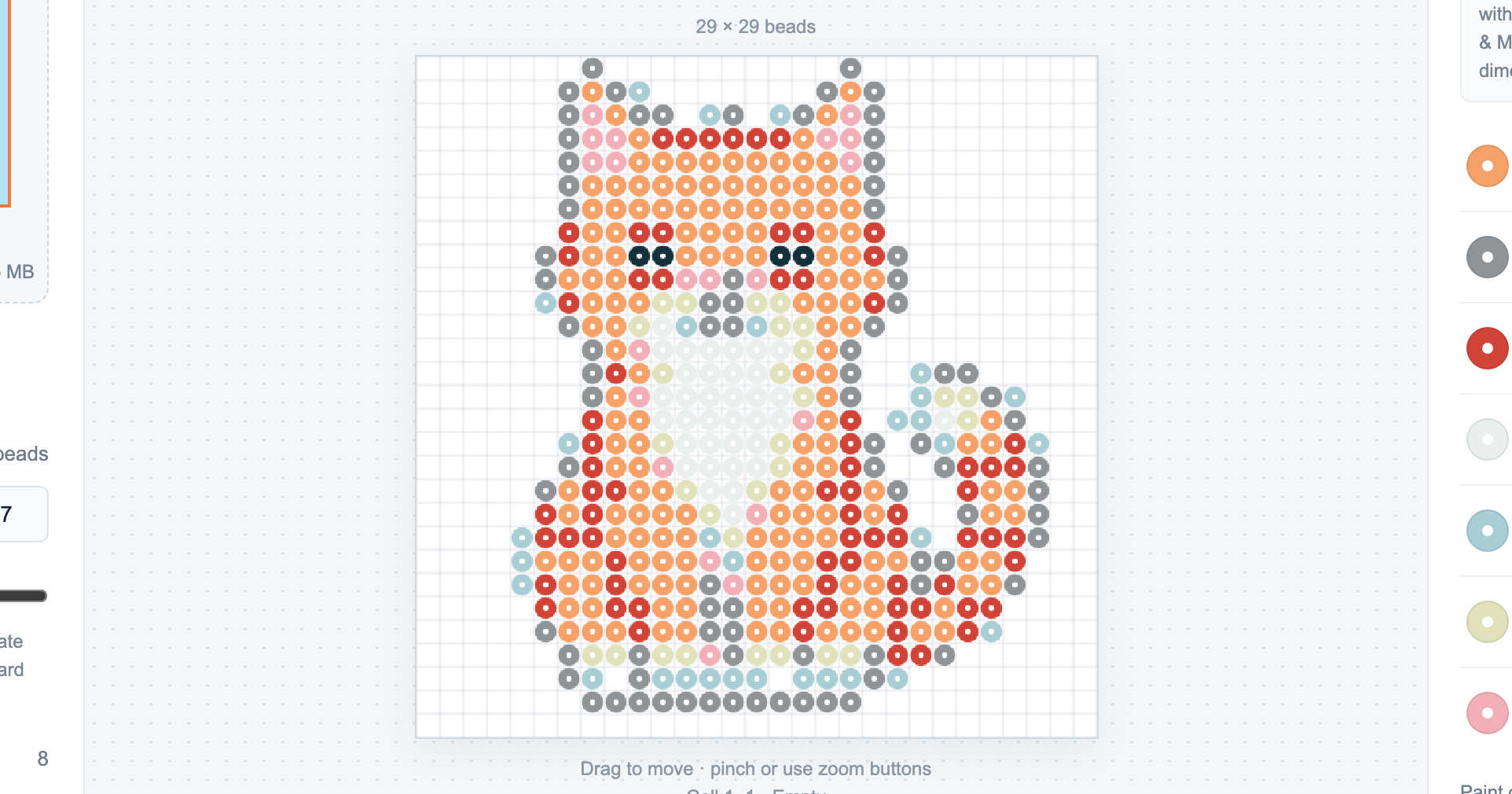
The Perler bead designs worth making are the ones that are yours. Instead of copying a pattern someone else made, use the pattern maker to turn a photo — or a short word — into an editable bead design: it snaps every cell to a real Perler shade, counts how many of each you need, and prints a chart you can build from. The design on this page is a real output of the tool, not a stock pattern. It runs in your browser and is free.
Designs to make from a photo
Almost any clear, high-contrast subject turns into a good bead design. Ideas that work well because the shape reads at a small grid size:
- Pets — a cat, dog or other animal facing the camera, cropped close.
- Portraits and faces — one person, plain background, so the features aren’t lost when the grid gets chunky.
- Characters and sprites — a mascot, avatar or game-style character with bold, flat shapes.
- Logos and simple icons — a symbol with a few solid colors reads cleanly at low bead counts.
For any of these, crop to the subject first, then set a width — a chunkier grid (around 29 beads) keeps it readable, a wider one (up to 120) holds more detail.
Designs to make from a word
Switch to the Text tab and type a short word to lay it out as a bead design — useful for:
- Names and initials — a keychain or bag tag.
- Short words — LOVE, HOME, a team name — kept short so the letters stay legible.
Why make your own instead of copying one
Two reasons. First, a design made from your own photo is genuinely yours — no copyright worry, and it means something. Second, you get what a copied image can’t give you: an exact count of every color, the ability to edit any cell, and a printable chart split into 29×29 sections that reads next to a pegboard. That’s the difference between looking at a design and being able to build it.
How to make your design
- Add your photo or a word. Drag in a JPG, PNG or WebP (up to 15 MB), or use the Text tab.
- Set the size and colors. Pick a width (presets 29 / 58 / 87, or the slider to 120) and cap the palette at up to 12 colors.
- Create and refine. The tool matches each cell to a Perler shade; then paint, replace a color, or protect cells until it looks right.
- Save it. Export a PNG, a CSV color list with counts, a printable PDF chart, or a JSON project you can reopen.
New to it? The guide how to turn a photo into a bead pattern walks through a full example, and making pixel art on a grid covers the editor in more depth.