

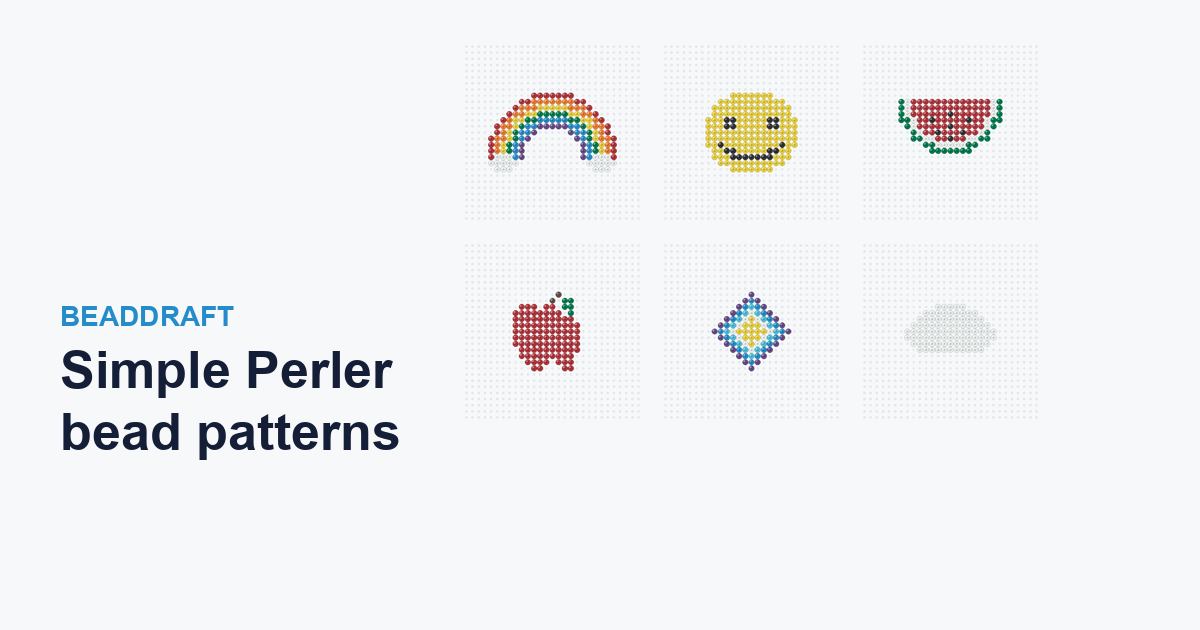
The best first bead projects are simple, bold shapes: a rainbow, a heart, a star, a smiley face. There is no fine detail to lose at a small size, the color count stays low, and the design finishes fast. Grab one of the free charts below and build it straight away, or make your own in the pattern maker: give it a photo or a simple shape, and it snaps every cell to a real Perler color, counts the beads, and prints a chart. Free, in your browser.
What makes a bead pattern simple
The designs that are easiest to build — and hardest to get wrong — share a few traits:
- A bold silhouette. A heart or a star reads from its outline alone, so it stays clear at a small grid size where fine detail would blur.
- Few colors. One to three colors keeps the bead count low and the chart quick to follow — a cloud is a single color, a smiley just two.
- Symmetry. A symmetrical shape like a diamond or a rainbow is forgiving: if one side looks right, you can mirror it for the other.
- High contrast. Bright color on the plain grid keeps the shape crisp, which is why primary colors suit the chunky bead look.
Simple patterns to try
Free, original BeadDraft charts — each with real Perler colors and an exact bead count. Click any one for the full chart, or use it as a starting point in the maker:
- Rainbow — six color bands and two little clouds (~162 beads).
- Smiley face — a two-color classic for keychains and magnets (~163 beads).
- Watermelon slice — red flesh, black seeds and a green rind (~125 beads).
- Apple — a round red body with a stem and leaf (~104 beads).
- Diamond — concentric rings, great chart-reading practice (~85 beads).
- Cloud — a one-color shape, the gentlest first project (~92 beads).
- Heart and star — the two most classic simple shapes of all.
More designs are added regularly — see the full pattern gallery for every theme.
Colors and settings for a simple look
Keep it minimal: one to three colors is plenty for most simple shapes, and a small grid width — the 29-bead preset, or the slider toward 16 — keeps the outline bold. Cap the palette low so the maker merges close shades into a few clean Perler colors instead of a speckled mix. If a shape looks muddy, drop the width or the color cap and tidy the edge with the paint tool.
Make your own simple pattern
- Pick a shape. A simple photo cropped close, a shape you draw, or a short word in the Text tab.
- Start small and high-contrast. Choose a width around 16–29 beads and cap the palette at a few colors.
- Create and refine. The maker matches each cell to a real Perler shade; clean up the outline with the paint tool.
- Print the chart. Export the PDF reading chart and CSV color counts, and build from it next to your pegboard.
New to beads? The easy patterns for beginners guide keeps the numbers small, and turning a photo into a bead pattern walks through a full example.